⏱️ Reading time: 8 minutes
No, Instagram does not show who someone recently followed. The Following Activity tab that used to display that feed was removed in October 2019, and nothing has replaced it as of September 2026. You can still open the Following list on a public account, but its order is algorithmic and personalised for you, so the first name is not the newest follow. The only numbers you can actually act on are your own, and the honest way to grow them is visible activity, for instance with Instagram followers.
Can you see who someone recently followed?
No. As of September 2026, no Instagram feature gives you a dated log of another person’s follows. There is no hidden page, no setting, and no desktop trick that unlocks it.
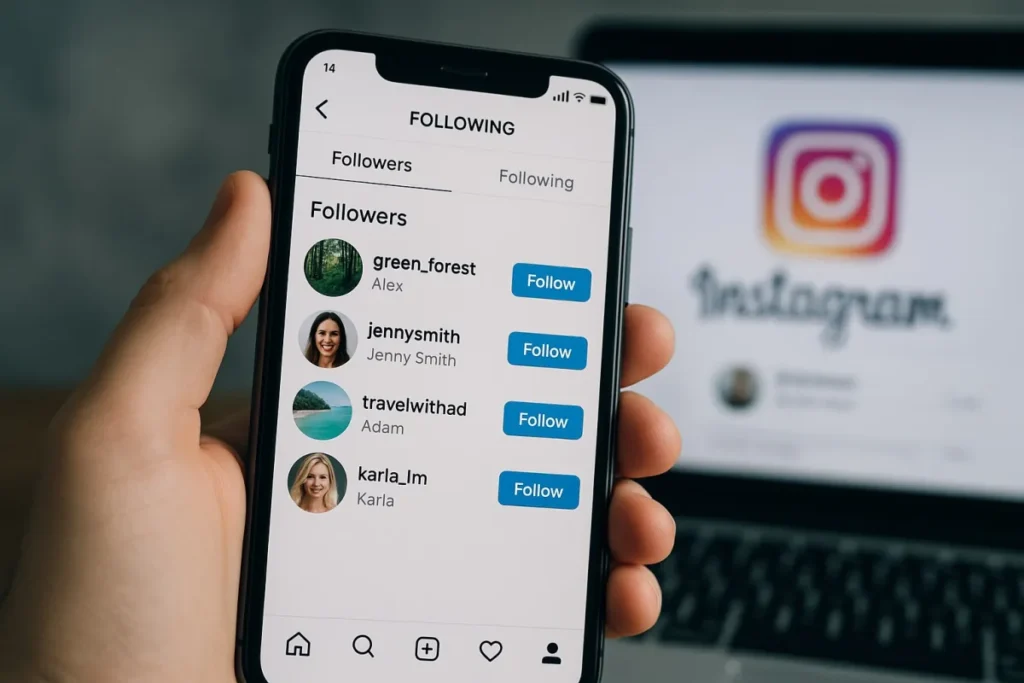
What you can do fits in one line: open a public profile, tap the Following counter and scroll. You get every account they follow, with no dates and no time markers at all. Nothing in the interface tells you whether a follow happened yesterday or four years ago.
The confusion comes from a belief that thousands of videos keep alive: the names at the top are supposedly the newest. That has not been true for years, and it is exactly what this recurring TikTok conversation is about:
The recurring argument about the following list and its supposed chronological order. ♬ original sound – Gin & Toxic Podcast
Watch on TikTok
The Following Activity tab and why it disappeared
People still ask this question because the feature genuinely existed. Until 2019, the heart icon opened two tabs: You, for your own notifications, and Following, for the activity of the accounts you followed. Their likes, their comments and above all their new follows scrolled past in chronological order.
Instagram removed that tab in October 2019. The official reason was simplification and very low usage: according to the product team, most people did not even know it was there. Unofficially, the tab exposed relationships nobody had chosen to make public, and it fuelled a large share of the surveillance between partners and friends.
Several features have been announced since as its comeback. None of them are. The Friends tab in Reels shows Reels your contacts interacted with, not who they follow. Notes and status sharing only cover what a person publishes on purpose. The Following feed added to the home screen in 2022 sorts your own follows by post date and says nothing about anyone else’s follows.
Why the order of the list means nothing
Another account’s Following list is not chronological, and has not been since 2021, when Instagram quietly dropped date-based ordering. The current sort is algorithmic, and above all it is personalised for you, the viewer.
In practice, Instagram pushes to the top the accounts that are relevant to you: your mutual connections, the profiles you visit often, the people you message. Two users opening the same list at the same moment do not get the same sequence of names. That single fact kills every jealous reading of a following list: the unfamiliar account sitting at the top may be there because you looked at it.
Two exceptions create the opposite impression. On a very new account following fewer than about two hundred people, the list does look like an order of addition, simply because there are not enough signals to sort it any other way. And among the very first names, the correlation with recent activity is real, without ever proving a date.
On your own account, sorting by date does exist
This is the nuance almost every article on the subject skips, and it explains half the misunderstandings. On your own lists, Instagram does offer chronological sorting.
- Open your profile and tap Following or Followers.
- Tap the sort button at the top of the list.
- Choose Date followed: latest, or Date followed: earliest.
The list reorders by date and you see exactly who you followed last. Instagram also offers useful categories, such as accounts you interact with least, or the ones that show up most in your feed.
That button only exists on your own lists. On someone else’s profile it is absent, even when the account is public and even on desktop. Plenty of tutorials film the sort on their own account and then let you believe it works everywhere. The video below is a good example:
Sorting a following list in chronological order, filmed on the creator’s own account. ♬ original sound – Kaylah Rose
Watch on TikTok
Seeing the following list of a private account
On a private account the following list is simply unavailable until the person accepts your request. The counter stays visible, the content does not. This is not a partial view: the data is never sent to your app.
Once the request is accepted, the list opens, with the same limit as on a public account: no chronological order and no dates.
Services that promise to open a private account have only three options, and all of them are bad. Either they ask for your login details so they can query Instagram as you, which means handing over your account. Or they use a fake profile that the target has already accepted, which means deceiving that person. Or they do nothing at all, show a fake loading bar and push a paid subscription. The third case is by far the most common.
A private account is an explicit refusal to share. Working around it puts your own account at risk of suspension and, in several European countries, creates a real legal problem.
Getting notified when someone follows another account
That notification does not exist. Instagram tells you when an account follows you, never when it follows someone else. There is no setting to switch on, and turning on notifications for a profile changes nothing here.
The bell available on a profile covers posts, Reels, stories and lives. It tells you when the person publishes, not what they do inside the app. Close friends lists and location sharing do not open that door either.
What you can observe without installing anything stays limited but real: accounts that appear in your suggestions because one of your contacts just followed them, public likes and comments under posts, and story mentions. Those are signals of interest, not a log of follows.
What a professional account really shows
Switching for free to a creator or business account comes up constantly as the answer. It is not one: it gives you nothing about other people’s follows.
Professional account insights describe your account only. You get followers gained and lost over a period, the split by country, age range and gender, the hours when your audience is active, and the reach and interactions of each post. All of it is aggregated and anonymous: you know you lost forty followers this week, never which ones.
Those numbers still matter, for a different reason. They tell you which format brings followers in and which one brings none. That is the only data you genuinely control. And when a post is working, social proof carries it further: Instagram likes on your strongest posts give a visitor the reason to open your profile.
Why tracking apps cannot work
App stores and search results are full of tools promising anyone’s recent follows, in order, in twenty seconds. We link to none of them, for one simple reason: the promise cannot be kept.
Instagram publishes nowhere the date on which one account followed another. No public interface and no official API exposes it. An outside service can therefore only reconstruct that information, which requires having watched the list both before and after the change.
- A first lookup can produce nothing. If the tool has never seen the list before today, it has no point of comparison. What it labels recent follows is just the raw list, shuffled.
- Continuous monitoring breaks Meta’s rules. Polling a profile on a loop to spot differences is automated collection, explicitly forbidden by the Meta Platform Terms and regularly blocked.
- The credentials are the real product. A tool that demands your password acts as your account, which triggers action blocks, sometimes deactivation, and leaves you in the wrong if you appeal.
- The business model is the subscription. Two or three free results, then a weekly charge that is hard to cancel, for data nobody ever verified.
One test settles it: run two scans in a row on an account that did nothing in between. If the result changes, the tool is making it up.
What to do instead
Behind this search there is almost always one of two intentions. Either you are watching a relationship, or you are studying a competitor or someone whose work inspires you.
In the first case, no tool will give you certainty, and the order of a list has never proved anything at all. You can spend hours reading meaning into a sort that was personalised for you, or you can ask. The second option is shorter.
In the second case, there is real work to do. Note the accounts that keep showing up in the suggestions attached to your target, look at whose posts they comment under, and watch the collaborations and mentions in their stories. In a week you will map their world far better than a raw following list ever could.
And if the actual goal is for your own account to carry more weight, the effort belongs elsewhere: a posting rhythm you can sustain, Reels that hook in the first two seconds, and visible activity under your posts. Instagram comments play that role of first signal, the one that makes other people stop and read.
Nobody will ever see your follows. Everybody sees your audience.
Grow the one number you actually control, with no password to hand over to anyone.