⏱️ Reading time: 7 minutes
Unblocking someone on Instagram takes three taps: Settings and privacy, then Blocked accounts, then Unblock. The other person gets no alert at all. Two things almost nobody mentions: unblocking does not put you back on each other’s follower lists, and you cannot block that account again for roughly 48 hours. If your real goal is getting your profile moving again, look at our Instagram followers.
Where the blocked accounts list lives in 2026
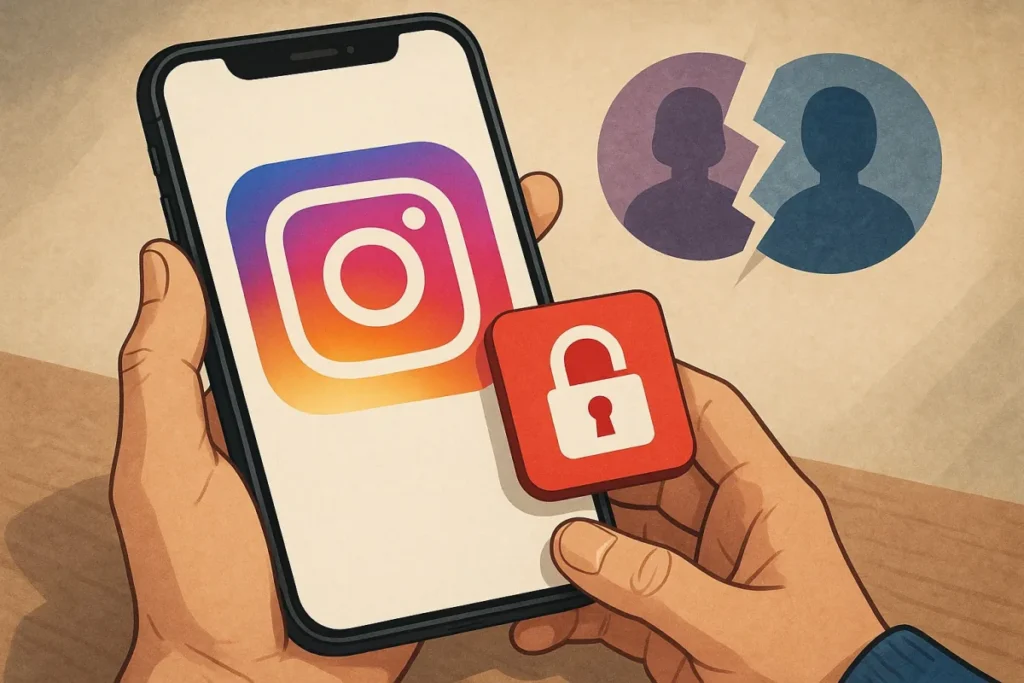
Instagram has moved this menu several times in recent years, which is why half the tutorials floating around no longer work. The old route «Settings > Privacy > Blocked accounts» vanished when Meta folded the Instagram, Facebook and Messenger settings into Accounts Center.
As of September 2026, on both iOS and Android, the path is this: open your profile, tap the three lines in the top right, go into Settings and privacy and look for the Blocked accounts entry. It sits in the group covering interactions, next to «Hidden words» and «Restricted accounts».
A trick that saves time: there is a search bar at the very top of Settings and privacy. Type «blocked» and the entry comes straight up, whatever version of the app you are running. It is the most dependable route, because Meta keeps reshuffling those sections every few updates.
The list also exists on the Instagram website on a computer, but it is buried deeper and sometimes lags behind what you see on your phone. Given the choice, do it from the phone.
Where to find your blocked accounts list on Instagram. ♬ sonido original – Android, tecnología y más
Watch on TikTok
Unblocking someone step by step
Here are the exact taps, with the labels as they appear in the English app:
- Open Instagram and go to your profile by tapping your photo in the bottom right.
- Tap the three lines icon (☰) in the top right corner.
- Go into Settings and privacy.
- In the search bar at the top, type blocked and tap Blocked accounts.
- Find the person in the list. If it is long, you can type the username.
- Tap Unblock to the right of their name.
- Confirm in the pop-up by tapping Unblock again.
The name leaves the list immediately. There is no extra confirmation screen, no email, and nothing visible happens inside the other person’s app.
If you originally blocked with the checkbox covering their other accounts, you will see several rows grouped under the same name. Unblocking the group releases all of them at once.
Unblocking from the profile or from a chat
The settings list is not the only route. If you know the username, type it into Instagram search and open the profile. You will land on a nearly empty page carrying the notice that you blocked this account, plus a clearly visible Unblock button. One tap and it is done.
From a chat it works the same way: open Messages, go into the old thread, tap the name at the top to open the details card and choose Unblock. This is the fastest route when you no longer remember the exact username but still have the conversation.
A warning about search: while the account stays blocked, it often does not show up in results at all. If typing the name gets you nowhere, go through the Blocked accounts list, the one view where it is always present.
What happens right after you unblock
First, the number one question: the person receives no notification. Instagram never warns anyone, neither when you block nor when you unblock. The only thing they may notice is that your profile shows up in their search again and that your posts open once more.
Second: you are not following each other again. At the moment of the block, Instagram removes the follow in both directions. Unblocking does not restore it. To get the connection back you have to tap «Follow» again and hope the other person does the same.
Third, and this one surprises people: old messages are still there. The conversation is not deleted by a block, only frozen. After unblocking it becomes active again with the full history, unless one of you had deleted it by hand.
The likes and comments that person had left on your posts, on the other hand, were removed when you blocked them. Unblocking does not restore them: Instagram’s help centre says so plainly, they are gone for good.
The 48 hours and the block loop
Here is the detail almost no guide mentions. Once you unblock someone, Instagram will not let you block that same account straight away: there is a waiting period of roughly 48 hours. It is an anti-harassment measure, designed so nobody uses blocking as a pressure tool by switching it on and off.
During those hours the button stays visible, but tapping it may throw an error or simply do nothing. That is not a bug in your app or your account: it is the limit doing its job.
The same mechanism touches follows. If you block, unblock and re-follow several accounts in a short window, Instagram can read it as automated behaviour and hand you a temporary action block. The practical rule is simple: leave a couple of days between operations on the same account, and do not chain dozens of follows together.
If the action block has already landed, the only real fix is to stop completely for 24 to 48 hours. No likes, no follows, no comments from that account.
If you blocked all of their accounts
For a few years now, when you block someone Instagram offers a checkbox along the lines of «Block other accounts they may have or create». If you ticked it, the block did not apply only to the profile in front of you, but to the profiles Meta associates with that same person, including any they create later.
Undoing it follows the same route: the main entry appears in Blocked accounts, and when you unblock it Instagram asks whether the linked accounts should be released too. Accept and the whole set leaves the list.
One important nuance: if you never ticked that box, the block only ever covered that one profile. The same person could keep seeing you from a second account with no obstacle whatsoever. That is why so many people believe «Instagram blocking does not work» when in reality it simply did not cover every profile.
I cannot find the person after unblocking them
This is the most common complaint on forums, and in practice it almost always has one of these five explanations:
- They blocked you too. Blocks are independent. Your unblocking does not cancel theirs, so their profile will keep looking non-existent to you.
- The account is private. It will show in search, but you will see no content until your request is accepted.
- The username changed. You search for the old one and it no longer exists. Try the real name or an old thread in your messages.
- The account was deleted or deactivated. A deactivated profile disappears everywhere until its owner logs back in.
- The app is lagging. Close Instagram completely, reopen it, and update it from the app store if needed.
If the account is still missing after those five checks, the first explanation is by far the most likely one.
And if what pushed you to block was really a profile gone quiet, putting movement back on your own posts helps more than any reconciliation: well spread Instagram likes give the algorithm a sign of life again.
The full move to unblock an account. ♬ Beleza Saude e Estetica – Kilo G
Watch on TikTok
Your profile deserves more than a block list
Real followers, gradual delivery, and we never ask for your password.