⏱️ Reading time: 8 minutes
Instagram has two fields people call a name. Your name sits under your profile picture, does not have to be unique, and takes ten seconds to fix. Your username is the handle after the at sign, it is unique, and it forms your profile address. Both live in Edit profile or in Accounts Center. This guide gives the real September 2026 paths and the limits that actually exist. It also says what a handle change quietly breaks, since nobody else seems to. If the rename is meant to relaunch an account, Instagram followers do the rest of the work.
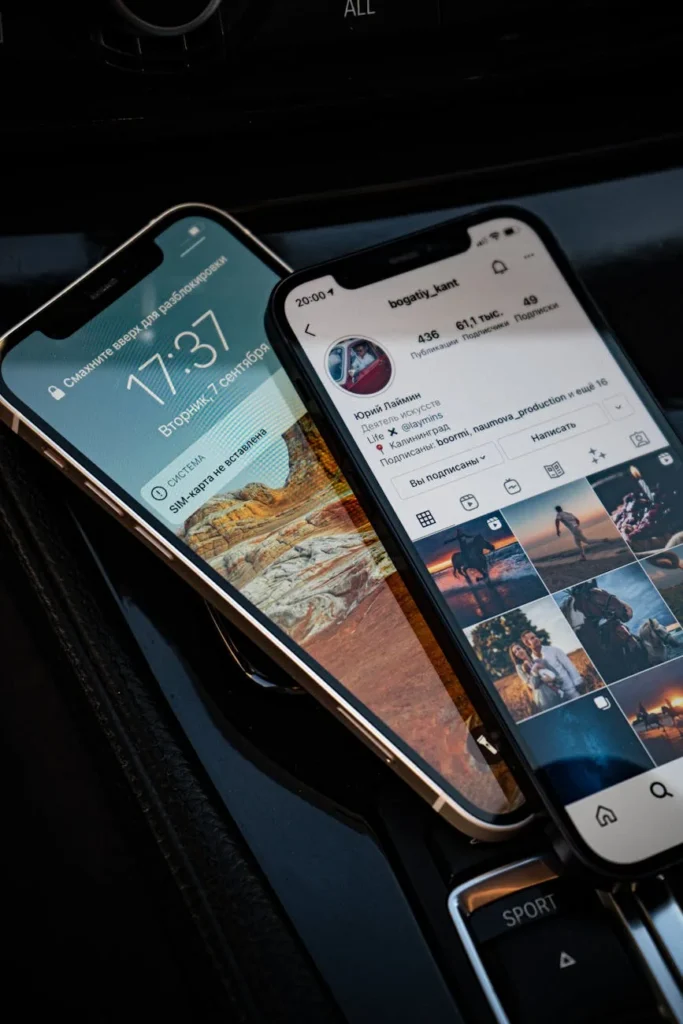
Name or username: which one do you want to change?
Half the searches on this topic come from that confusion, and the two fields follow different rules with different consequences.
- Your name. The line under your picture, “Lea Martin” or “Lea, photographer in Leeds”. Spaces, accents and emoji all work, and two accounts can share the same one. Instagram feeds it into search, which makes it the more valuable of the two fields.
- Your username. The @lea.martin, unique across the whole platform, thirty characters maximum, no spaces or accents, only letters, numbers, periods and underscores. It builds the address instagram.com/lea.martin and powers mentions.
One detail confuses everyone since the move to Meta accounts: in several help center languages, Meta now calls the username the “profile name”. When a help page says profile name and a tutorial says handle, they mean the same thing. So decide first: fixing your identity or adding your job means the name field, while a new profile address means the username, and you should read the consequences section before touching it.
How to change your name on Instagram, step by step
Meta is moving accounts over to Meta accounts, and two paths coexist in September 2026. The second one is not live for everyone yet, which Meta says plainly in its help pages.
In the app, the classic path:
- Tap Profile or your profile picture in the bottom right.
- Tap Edit profile, right under your bio.
- Tap the Name field and type the new one.
- Tap Done in the top right. On a computer the button reads Submit.
In Accounts Center, the new path:
- Tap Profile or your profile picture in the bottom right.
- Tap Menu in the top right.
- Tap Accounts Center, then Profiles.
- Tap the profile you want to update, then the detail itself: name, username, profile picture or avatar.
- Tap Done.
On desktop the same setting sits under More in the bottom left, Settings, then See more in Accounts Center and Profiles. Accounts Center adds one thing the old path never had: syncing your profile info with your Facebook profile, as long as both accounts are in there. Meta also notes that a matching first and last name on both sides helps people find you through recommendations.
Both fields on screen, name first and handle second, in the order the app shows them. ♬ original sound – aprendarapidotutoriais – Aprenda Rápido Tutoriais
Watch on TikTok
How to change your username, the handle after the at sign
The gesture is the same, the field sits just below, and this time Instagram adds an availability check.
- Open Edit profile, or Accounts Center then Profiles.
- Tap the Username field and delete the old handle completely.
- Type the new one. A green tick means it is free, a red mark means it is taken.
- Confirm with Done. The change lands instantly when the handle is available.
Two things stop it. Either the handle is taken, and you need a variant, so a period, a number, an underscore or an abbreviation, which is exactly what Meta suggests in its help center. Or your account reaches a lot of people, the change goes to review, and you get a notification once that review is finished.
The handle availability check, filmed live inside the app. ♬ Suspense, horror, piano and music box – takaya
Watch on TikTok
How often can you change your name?
This is where nearly every guide gets it wrong. They all say the username can only be changed twice every 14 days. Meta’s help center documents no waiting period at all for the username.
What is documented sits elsewhere. In the Meta Verified rules for creators, Meta states that the profile name can be updated twice every 14 days on Instagram, against once every 60 days on Facebook. That is the counter the app shows when it blocks a third edit, and it applies to the Name field.
For the username, the only written limit is a human one: “if your account reaches a lot of people, your username change may need to be reviewed”. No follower threshold, no published waiting time.
Meta Verified creators get an extra layer. The verified name has to match the legal name on a government ID, mononyms get refused because Meta wants a first and a last name, and the only tolerated variants are abbreviations, spelling variations, initials and compound names. Meta rejects symbols, numbers, unusual capitalisation, punctuation and titles. Every change goes to review for up to three days, with no further edits allowed while it is pending.
What you keep and what you break
Changing the name breaks nothing. Changing the handle breaks several things, and that is the part tutorials skip.
What stays put: followers, posts, reels, story highlights, likes, comments, direct messages, saved collections. The account’s internal ID never changes, only its label does.
What breaks:
- Your old address. instagram.com/old-handle stops leading to your profile and nothing redirects it. Links sitting elsewhere, on your site, in an email signature, in a TikTok bio, on a printed QR code, now point nowhere.
- Discretion. Meta warns that your followers may be notified of your username change. Better to announce it yourself in a story.
- Threads, on five counts. The two apps now accept different handles, but desyncing costs you: the Threads badge disappears from your Instagram profile, sharing an Instagram or Facebook post to Threads stops working, the Meta Verified badge no longer carries over, the branded content tool can no longer tag branded content on Threads, and in Meta Business Suite existing Threads ads get paused with crossposting switched off. Keeping one handle across both apps means keeping both accounts in the same Accounts Center.
The useful order is this: change the handle, post a story announcing it, update the links on your other networks and your site, remake the QR code, then rebuild reach. An announcement post backed by Instagram likes stays visible longer with the people who already follow you.
Getting an old handle back, or one that is taken
Going back is possible under two conditions Meta spells out: the old username has not been taken by someone else, and it has not been recently removed from an active account you do not own. From the second you release it, it is available to the entire planet, and the 14 day safety window several blogs promise appears nowhere in the documentation. If you are hesitating, park the old handle on a second account.
Wanting the handle of an obviously abandoned account is a different story. Instagram does not release inactive usernames. Its inactive username policy amounts to a nudge to stay active, and the page about handles that are claimed but look inactive offers one thing only, an available variant. Handles are first come, first served and cannot be reserved.
One route is an exception, the registered trademark. If an account uses your registered trademark as its handle in a way that misleads people about your business, a trademark report form exists. Meta adds two caveats: using a trademark in a field unrelated to the goods it covers is not a violation, and a registration reserves no handle.
Picking a name people can actually find
The username helps people reach you when they already know you. The name helps people find you when they do not, because it feeds into internal search. That is where the visibility sits, and it is the field everyone fills in with a passport identity.
- Put a searched word in the Name field. Nobody searches “Camille Roux”, people do search “Camille, nail art Bristol”. First name, activity and city fit in thirty characters.
- Keep the handle short and easy to say out loud. No double periods, no trailing underscore, no decorative numbers that read like a fake account.
- Line up your networks. One handle across Instagram, TikTok and YouTube kills the “what’s your account again” question.
- Avoid serial renaming. An identity that shifts every month loses the recognition that makes people stop on a post.
A new name changes the first impression and nothing else. Followers and the activity under your posts decide whether a visitor stays, which is why Instagram comments on the first posts after a rename count for more than a perfect handle.
No account yet? Start by creating your Instagram account, since you pick your username during sign-up.
Instagram refuses the change: the checklist
The error message is always vague. Work through these in order, the cause is almost always on the list.
- The handle is taken. Even on a private, deactivated or empty account. Change a letter rather than wait.
- The Name counter is used up. Two edits per 14 days, then a wait.
- A review may be running, which is what happens to accounts with a lot of reach.
- Your account is restricted. A recent strike often freezes profile edits.
- You subscribe to Meta Verified. Legal name required, limited formats, review up to three days.
- The setting has not rolled out to you. Meta admits Accounts Center is not available to everyone, so go back through Edit profile.
- Try the other device: a field blocked in the app sometimes works on instagram.com, and the reverse happens too.
If nothing moves after a week, the official support channels are left, and our guide on how to contact Instagram lists them. No outside service can force a handle, and the ones promising it are after your login details.
New name, fresh start?
A real follower base gives your renamed profile the credibility a handle never will.